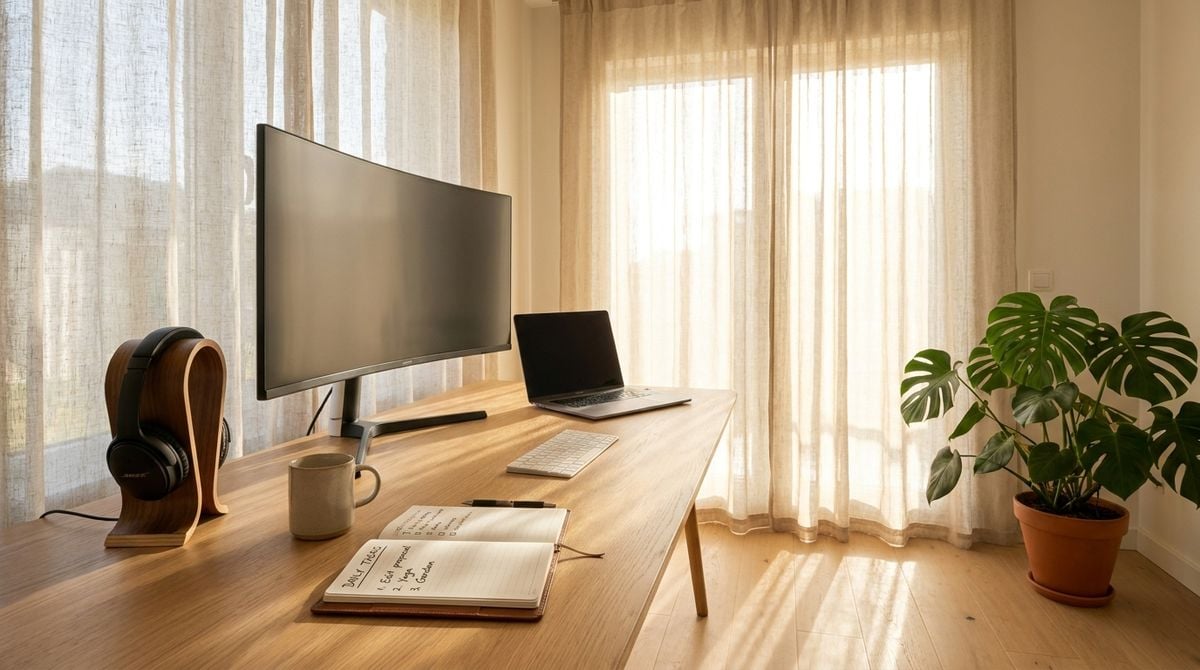

Changing career paths requires more than updating a resume and browsing job boards late at night. Shifting to remote consulting, entering a new industry, or launching an independent business turns your living space into a daily command center. When your routine expands to include video interviews, client presentations, and continuous research, basic consumer devices can quickly cause bottlenecks. Upgrading your workspace with intention allows you to meet these higher demands with confidence.
A sensible desk upgrade does not mean buying every premium accessory on the market. The real goal is removing everyday friction, ensuring dependable communication, and setting healthy boundaries between work and home life. In the same way that practical domestic projects thrive when simple digital tools support your routines, as explored in our guide on establishing a balcony vegetable patch for parents, your home workspace functions best when your equipment remains dependable and unobtrusive.
Assessing Hardware Bottlenecks Before Buying New Gear
Before purchasing new hardware, identify where your current setup slows you down. A laptop that handles web browsing might struggle when you launch a screen-sharing call with heavy spreadsheets open. If your machine runs hot, drops video frames, or takes minutes to process basic tasks, upgrading the computer or lightening its workload should be your first priority.
Adding an external monitor is often the most transformative step for daily productivity. Working strictly from a compact laptop screen forces constant window toggling, which breaks concentration. An external display provides ample room to keep reference documents open on one side while typing on the other. Look for a screen with an adjustable stand to support proper posture throughout the day.
Stable internet connectivity is just as vital as computing power. Wireless signals can fluctuate when household members stream video in adjacent rooms. Connecting your computer directly to your router with an Ethernet cable eliminates unpredictable lag during calls. If running a long physical cable is impractical, consider using a powerline adapter or a dedicated mesh access point with an Ethernet port.
Upgrading Audio and Video for Remote Interviews
Virtual interviews and introductory client calls form the foundation of modern career transitions. First impressions are established across digital screens, and poor video clarity or muffled audio can distract interviewers from your qualifications. Integrated laptop webcams are often positioned at an unflattering upward angle, while tiny internal microphones amplify room echo. Investing in standalone audio-visual accessories produces an immediate jump in presentation quality.
Positioning your camera at eye level creates a natural visual connection during conversation. You can achieve this posture by mounting an external webcam atop your monitor or placing your laptop on an elevated riser with an external keyboard. Ensure your primary light source is positioned in front of your face rather than behind your chair. A soft desktop lamp directed toward a neutral wall produces flattering, even lighting.
Clear sound is even more critical than sharp video, as interviewers must understand your answers without straining. A dedicated microphone on a compact desktop arm isolates your voice while filtering out background noise. While solid hardware guarantees technical reliability, pairing dependable tools with sound professional advice is equally important. Reading career advice blogs like Jobs In Macon GA provides helpful perspectives on interview preparation, resume development, and modern job market strategies that help you present your experience effectively.
Digital Tools for Launching Independent Ventures
Many professionals navigate career changes by offering freelance services or starting their own client-focused ventures. Taking this path requires building a clean digital footprint that reflects professionalism. Securing a custom domain name and establishing a dedicated business email address establishes credibility far better than relying on generic personal email accounts. When prospective clients receive proposals from a branded address, it demonstrates serious commitment to your trade.
Running a successful independent venture also requires managing your client pipeline, marketing your skills, and keeping administrative records organized. Instead of juggling loose documents, adopt simple cloud tools for invoicing, document signing, and client communication. Developing the skills to manage a business on the web takes patient learning, and educational platforms like Go And Grow Online offer valuable insights for professionals working to expand their digital reach and build sustainable commercial ventures.
Automated cloud backup services are essential when handling important client work or professional portfolios. Configure automated synchronization for your key working folders so that every document revision is backed up as soon as it is saved. For extra security, maintain a secondary physical copy of your critical files on a detached external hard drive. This dual-layer approach safeguards your work against accidental deletions or hardware failures.
Organizing Peripherals and Managing Cable Clutter
A chaotic physical desk creates unnecessary mental clutter and distraction. As you add external screens, microphones, webcams, and charging cords, cables can easily overrun your desktop. Organizing your accessories with simple management tools creates an inviting space where you can concentrate on your new professional priorities without knocking over loose wires or searching for disconnected adapters.
A powered desktop docking station is an excellent tool for keeping your peripheral devices organized. By connecting all your secondary displays, audio interfaces, external drives, and network cables into a central hub, you only need to connect one cable to your computer when sitting down to work. This arrangement reduces port wear and simplifies moving between mobile and desk-bound tasks.
Developing a few simple physical maintenance habits will keep your workspace orderly and comfortable over long days of focused work:
- Fasten power and data cables into under-desk trays using reusable hook-and-loop straps.
- Place primary input devices squarely in front of your body to maintain comfortable arm alignment.
- Wipe down your camera lens and monitor surfaces regularly to maintain clear visual quality.
- Label power cords at the surge protector so you can identify and unplug individual accessories quickly.
Establishing Clear Boundaries Between Work and Home Life
When you use the same desk for career growth and personal relaxation, professional concerns can easily spill into your downtime. To preserve your mental stamina throughout a demanding transition, create distinct user profiles on your primary computer. Separating your professional browser bookmarks, communication applications, and project files from your personal accounts prevents distracting entertainment notifications from derailing your working hours.
Similarly, establish a firm end to your working day by shutting down professional applications and closing browser tabs every evening. If your workspace occupies a corner of a living area, turn off your external display and tuck your keyboard away when your scheduled hours conclude. This deliberate physical gesture signals that the workday is finished, allowing you to rest and recharge for the challenges ahead.
Upgrading your home office for a career pivot is not about gathering flashy gadgets or creating a decorative background. It is about creating a dependable, responsive environment that supports your focus and communicates competence during critical professional interactions. By taking a methodical approach to your hardware, software, and physical surroundings, you build a functional workspace that reliably serves your evolving ambitions.

