
We’ve all got one. That drawer, box, or forgotten corner of a cupboard filled with old mobile phones, tangled chargers, and a laptop that hasn’t been switched on for years. It might seem like harmless clutter, but it’s a small sign of a much bigger problem in how we buy, use, and dispose of technology. The good news is that with a few simple changes to our habits, we can keep our gadgets running longer, save money, and do our part for the planet.
The Growing E-Waste Problem
Electronic waste, or e-waste, is just a fancy way of saying all the electrical and electronic stuff we throw away. This includes everything from our smartphones and laptops to fridges and TVs. Anything with a plug or a battery eventually becomes e-waste, making us wonder if we should repair or replace our devices. It’s the fastest-growing type of household waste worldwide. These discarded items are full of valuable materials that could be reused, but also hazardous stuff that can harm the environment if not handled properly. Every device we toss out too soon just adds to this growing pile, wasting resources and hurting the planet unnecessarily.
Extending Device Usability
The best way to cut down on e-waste is to use our devices for as long as we possibly can. Often, a gadget feels “old” not because it’s broken, but because it’s gotten slow or cluttered. Giving it a little regular care can make a huge difference. This means clearing out files you don’t need, deleting apps you no longer use, and keeping the operating system updated. Taking care of the physical device matters too. Keeping charging ports free of dust and making sure laptop vents aren’t blocked can stop overheating and performance issues. Learning a few simple tech tips to extend device life can really help.
For mobile phones, especially, how healthy the battery is plays a big part in how long the phone lasts. Avoiding extreme temperatures and trying to keep the battery level between 20% and 80% can slow down its wear and tear. Simple habits like these are key to extending the lifecycle of mobile devices and putting off buying a new one.
The Repair vs. Replace Dilemma
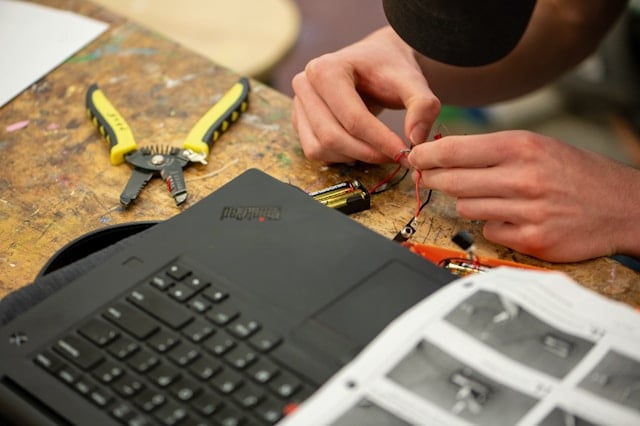
When a screen cracks, a battery dies, or a laptop just won’t start, our first thought is usually to get a new one. A new, faster, shinier model can be very tempting, but it’s not your only choice. Before you start looking for a new machine, it’s worth seeing if a repair is possible. For many common laptop and desktop problems, professional computer repairs can be surprisingly affordable and quick. It often costs way less than buying a brand-new machine.
Choosing to fix a device not only saves you money but also saves all the energy and resources it takes to make a new one. From a cracked phone screen to a failing hard drive, many problems that seem like the end are actually easy fixes for a skilled technician.
Smart Upgrades for Older Tech
What about a device that isn’t broken, just slow? If your laptop is struggling to keep up, you might not need to replace the whole thing. Two of the most effective and affordable upgrades for older computers are adding more RAM (Random Access Memory) and swapping out an old mechanical hard drive for a Solid-State Drive (SSD).
- More RAM: Think of RAM as your computer’s short-term memory. Adding more lets it handle more tasks at once without slowing down.
- Switching to an SSD: An SSD is a modern type of storage that’s much faster than traditional hard drives. Upgrading can make an old laptop feel brand new, with quicker start-up times and faster app loading.
Even if a device can’t do its main job anymore, it might find a new purpose. An old tablet could become a dedicated digital photo frame or a recipe book in the kitchen. An old smartphone could be used as a home security camera or a baby monitor.
Thinking “repair and upgrade” before “replace” is a powerful shift in how we approach things. It helps you take charge of your technology, saving money and reducing your environmental impact one device at a time.