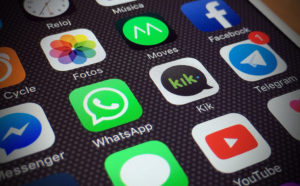

We have all used that app. You know the one. It requires twelve taps to get to the settings menu. It asks you to fill out your address three times. It sends you push notifications at 3:00 AM about a sale on winter coats when you live in Florida. It feels clunky, “dumb,” and disconnected from your actual life.
Then, there are the apps that just flow. You open a music app, and the exact song you wanted to hear is already queued up. You open a ride-sharing app, and it suggests your destination before you even type a letter. It feels less like software and more like a helpful assistant who has been paying attention. That feeling of fluidity isn’t magic, and it isn’t luck. It is the result of invisible, intelligent algorithms working in the background to remove friction.
As companies rush into the next phase of mobile app development, the bar for User experience (UX) has been raised permanently. Users no longer tolerate passive apps that wait for instructions. They expect proactive apps that anticipate their needs. This is where artificial intelligence shifts from a marketing buzzword to a critical design tool. It is the difference between an app that works and an app that understands.
Here is how integrating AI transforms the user journey from a series of clicks into a seamless experience.
1. From Search to Discovery
The old model of UX was based on a library. You walked in, you looked at the Dewey Decimal System, and you went to find the book. In app terms, this means navigating complex menus and using search bars to find a product or a feature.
AI flips this model. It turns the library into a personal shopper. Think about how streaming services work. They don’t wait for you to search for “1990s Action Movies.” They analyze your viewing history, compare it with millions of other users, and present a “Because You Watched Die Hard” carousel right at the top. This is predictive UX. By analyzing behavioral data, the AI curates the interface in real-time. It hides the things you don’t care about and highlights the things you do. For a user, this saves mental energy. They don’t have to think; they just have to choose. If an e-commerce app knows you only buy size 10 sneakers, showing you size 6 is a bad user experience. AI ensures you only see what fits.
2. Vision and Voice
Let’s be honest: Typing on a piece of glass is a terrible way to input information. It’s slow, prone to typos, and annoying if you are walking or driving. One of the massive wins for AI in UX is the ability to bypass the keyboard entirely.
- Computer Vision: Why type in a credit card number when you can just point your camera at it? Why type “red mid-century modern chair” into a search bar when you can upload a photo of one you saw in a magazine? AI image recognition removes the friction of describing what you want.
- Natural Language Processing (NLP): Old voice assistants required you to speak like a robot: “Call. Mom. Mobile.” Modern AI understands context and intent. You can say, “Show me that Italian place I went to last week,” and the app understands the time reference and the location history.
By removing the need to type, you lower the barrier to entry. The app becomes more accessible and significantly faster to use.
3. The UI Concept and Anticipatory Design
The best interface is no interface at all. If an app is truly smart, you shouldn’t have to open it to get value from it. AI powers context-aware notifications that appear exactly when you need them, and disappear when you don’t.
Consider a travel app.
- The Dumb App: You have to open the app, find your itinerary, click the flight, and check the gate number.
- The AI App: It knows you are at the airport (location data). It knows your flight is in 40 minutes (email data). It pushes a notification to your lock screen: “Gate changed to A4. Boarding in 10 minutes.”
This is the pinnacle of UX. The user didn’t have to ask for the information. The AI anticipated the anxiety of travel and solved it before the user even unlocked their phone. This builds immense trust and loyalty.
4. Hyper-Personalized Onboarding
The first 60 seconds of using a new app are critical. This is where most users churn (quit). Usually, this happens because the onboarding process is generic and boring. AI can tailor the onboarding flow based on where the user came from or how they answer the first question.
If a fitness app asks, “What is your goal?”, and the user selects “marathon training,” the entire look and feel of the app should change instantly. The imagery should switch to runners, the language should become more technical, and the suggested features should focus on distance tracking. If the user selects “yoga for stress,” the interface should soften, the colors should calm down, and the features should highlight meditation. AI allows developers to build one app that behaves like five different apps depending on who is holding the phone.
5. Smarter Support
Nothing destroys User Experience faster than a bad customer support bot. We have all been trapped in that loop: “I’m sorry, I didn’t catch that. Did you mean ‘Billing’?” Legacy chatbots were just “decision trees”—rigid scripts that couldn’t handle deviation.
Generative AI has changed this game completely. Modern support bots can actually read the user’s complaint, understand the sentiment (is the user angry or just confused?), and generate a specific, helpful response. They can troubleshoot complex technical issues by reading the user’s account logs rather than asking the user to explain the error code. When a user feels heard—even by a machine—their frustration level drops. Good AI support resolves issues in seconds, whereas bad support forces the user to wait on hold for 20 minutes.
Empathy Through Algorithms
It might sound contradictory, but AI actually makes technology feel more human. Humans are good at remembering preferences. If you go to the same coffee shop every day, the barista eventually learns your name and your order. That feels good. It feels personal. For a long time, apps couldn’t do that. They were amnesiacs, treating you like a stranger every time you logged in. AI gives apps a memory. It gives them the ability to learn your habits, respect your time, and predict your needs. It stops the app from being a tool you have to operate and turns it into a service that operates for you. In a crowded marketplace, the apps that win won’t necessarily be the ones with the flashiest graphics; they will be the ones that feel the most intuitive.