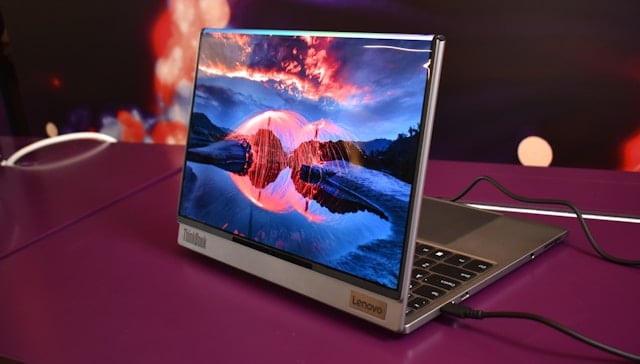

A 2-in-1 laptop combines the functionality of a laptop with the additional portability of a tablet. Instead of having an iPad to sit with in bed or on flights so you can watch movies or play fun mobile games, and then a laptop to do your work, you have a device that’s capable of both. It should have the processing power of a good laptop mixed with the touchscreen capabilities and fluidity of a tablet.
Common options include the Lenovo IdeaPad, HP OmniBook or Microsoft Surface Pro.
Initially, these devices feel like they’re perfect for everyone because you get the best of both worlds – but is that really the case and should you bother buying one? Everyone’s different, but here are some things to think about before purchasing:
2-in-1 Laptops Can’t Excel At Both Things
When you attempt to combine two things together, you never really end up excelling in both areas. This is true when you look at 2-in-1 laptops as the device usually falls into one of these categories:
- An excellent laptop but a below-par tablet
- An excellent tablet but a below-par laptop
Most of the devices that look like laptops and fold the keyboard on a hinge to make it more tablet-like are great at the laptop side of things but they can never replace a genuine tablet. The same goes for things like the iPad Pro: an exceptional tablet, but it isn’t going to replace your MacBook any time soon.
Essentially, when you choose one of these devices, you automatically have to decide which half you wish to sacrifice. And hey, that might be fine for some of you! If you rarely use your laptop and need it just in case you have to do a bit of work on the train or while you’re on holiday, then opting for a 2-in-1 that leans towards tablets is a smart choice.
Don’t Pick A 2-in-1 Just For Touch Controls
If you like the idea of a 2-in-1 laptop just to use touchscreen controls, then there’s absolutely no need for you to pick up this type of device. You can find a touch laptop that functions like a normal laptop but still lets you touch the screen or draw on it with a stylus. Many of you will find that’s all the functionality you need, so it makes more sense than getting a 2-in-1.
Good 2-in-1 Laptops Cost A Lot Of Money
The harsh reality of the 2-in-1 world is that, if you want something that’ll actually be good enough to use for both functions daily, then you have to pay a lot of money. The more affordable options won’t cut the mustard, so you have to spend upwards of $1,000 to get a decent choice that walks in both worlds as effectively as possible.
They’ll Never Be Specialist Laptops
Last of all, avoid a 2-in-1 if you need some sort of specialist laptop. Gamers who need a gaming laptop will never ever find a 2-in-1 device that even comes remotely close to what they need. The same goes for people who need a laptop to edit massive audio/visual files; the 2-in-1 options are rarely capable.
Looking back at all of these considerations, 2-in-1 laptops are suitable for people who don’t need a high-powered machine and are willing to compromise slightly in one of the two departments to avoid buying two separate devices. For everyone else, it’s probably better to just get a laptop or tablet.