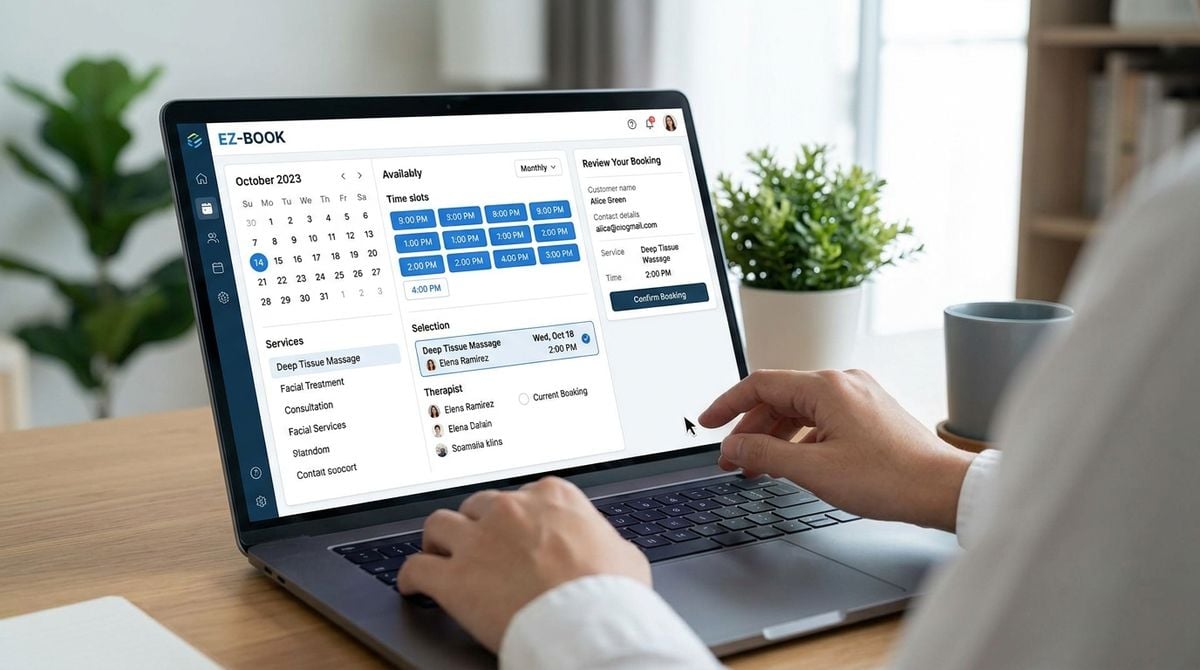

A pet sitter’s booking calendar often begins on a paper planner with handwritten names, phone numbers, and a few notes about feeding times. That system works well when the schedule is small, yet it becomes fragile once several clients, multiple sitters, and frequent changes enter the picture. Moving the calendar to shared software is a practical step, but it should happen in measured stages rather than in a single rushed switch. The goal is a system that everyone can read, update, and trust. This article follows that progression from a single shared page to a complete scheduling routine that keeps the animals in good hands.
Recording Bookings on One Shared Page
Begin by transferring current bookings to one shared page that all sitters can access. Use a simple layout with columns for the date, the time, the client name, the animal, and the type of visit. Keep the first version basic so the transfer does not become a project of its own. Check each entry against the paper planner before retiring it, so no booking is lost during the move. Readers may also want to visit mortgage-2you.com. A single page is the foundation that every later improvement depends on. Date each entry consistently so the calendar can be sorted without effort.
Choosing Reminders That Match Visits
Reminders help prevent missed visits, but they must match the rhythm of the work. Set a reminder the evening before each visit and another a short time before the scheduled arrival. You can also visit Quick PayDay Loans for more reading. Keep the reminder wording simple and include the address and any access note the sitter needs. Review the reminder settings after the first month to see whether they are arriving at helpful times. Well-timed reminders protect both the schedule and the client relationship.
Keeping Client Notes Organized
Client notes preserve the details that make each animal’s care reliable. Create a separate page or section for each client that lists feeding amounts, medication instructions, favorite routines, and the emergency contact. For a related read on this site, see Launching a Small Online Clothing Store One Product. Update the notes after each visit when something changes, such as a new diet or a different walking route. Keep the notes short enough that a sitter can read them in a minute before entering the home. Organized notes reduce mistakes and reassure owners who are away.
Syncing the Calendar Across Devices
Shared software is most useful when everyone sees the same schedule. Make sure each sitter has access to the calendar on their phone and that changes appear quickly on every device. Agree on one place to make official changes, so the calendar does not split into conflicting versions. Check the sync settings after any update to the software or the phone, since small changes can break access. Keep a printed copy of the week’s schedule as a backup in case the internet connection fails. Reliable syncing removes the confusion that causes double bookings. Test the sync by creating a sample entry on one phone and checking it on another. Write down the steps you used so the same check can be repeated after updates.
Protecting Client Information
Client details include addresses, contact numbers, and access instructions, which should be treated with care. Limit access to the shared page to the sitters who truly need it, and remove access when someone leaves the team. Use strong passwords and avoid sharing login details by message. Store any printed copies in a locked place and shred them when they are no longer needed. Review the privacy settings of the software every few months to confirm that nothing has been changed without notice. Careful handling builds the trust that clients need before they hand over their homes and their animals. Remove old printed client sheets as soon as they are replaced by the shared page.
Training a Helper on the System
A helper can only follow the system if the steps are written down clearly. Create a short guide that explains how to read the calendar, confirm a visit, update the client notes, and report a problem. Walk through the guide together during a quiet week so the first real visit feels familiar. Ask the helper to repeat the process back to you, and correct any step that seems unclear. Keep the guide updated as the system changes. Training makes the business dependable even when the owner is unavailable. Ask the helper to practice a sample visit using a test entry before any real booking.
Keeping the Booking System Dependable
Moving from paper to shared software works best when each step is tested before the next begins. Start with one shared page, add reminders that match real visits, keep client notes organized, sync the calendar carefully, protect client information, and train helpers with a clear guide. Review the system every few weeks and refine any part that causes confusion. The result is a calendar that keeps every visit on time and every animal in good hands. Over time, the booking system becomes a quiet foundation for a sitter who wants to grow without losing care.